





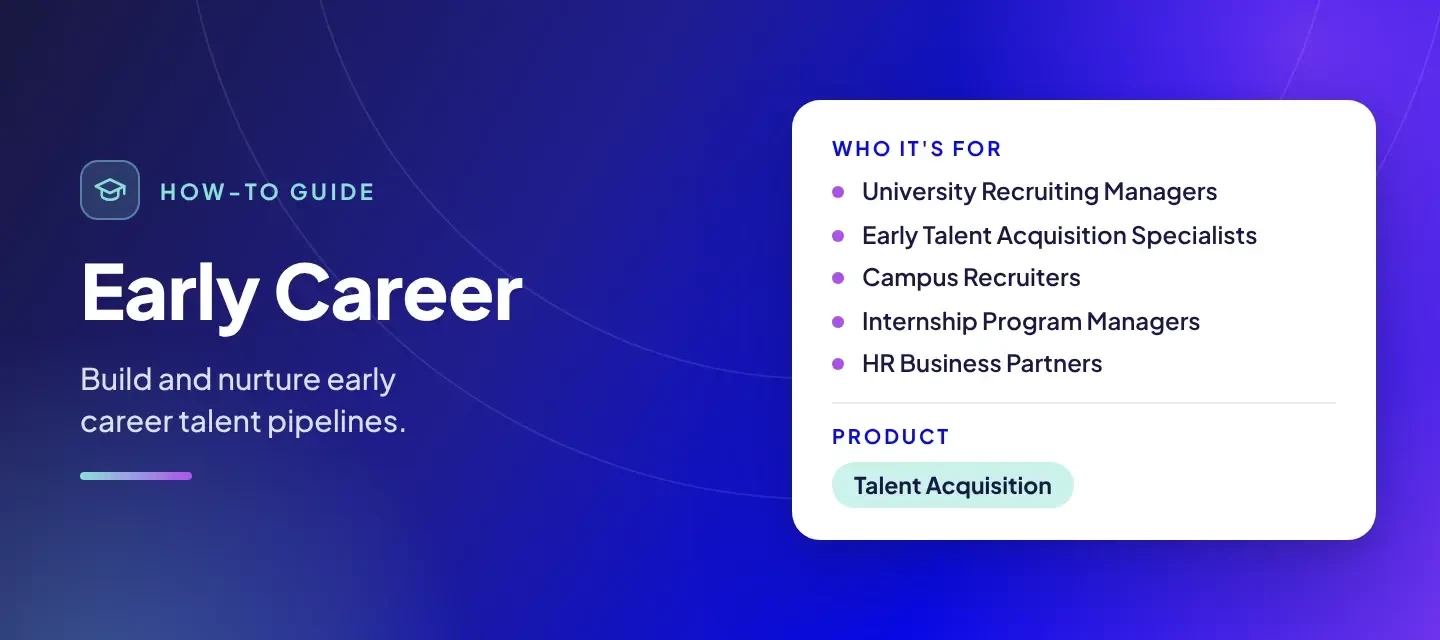
Attracting and nurturing early career talent is essential for building the future workforce. With rapid technological advancements and evolving skill requirements, organizations face a unique opportunity to shape tomorrow's leaders while addressing today’s talent gaps.
From recent graduates to career changers, investing in early career programs helps businesses innovate, improve diversity, and ensure long-term success.
The why: Importance and impact
Research shows that early career hires are pivotal to achieving long-term business goals:
- Retention: Employees nurtured early tend to have higher loyalty and longer tenure.
- Cost savings: Hiring and training early career talent often reduces recruitment costs compared to senior-level roles.
- Innovation: Young talent brings fresh perspectives, digital fluency, and enthusiasm for change.
Key challenges
Organizations aiming to recruit and retain early career talent often face these hurdles:
- Attracting diverse talent: Connecting with underrepresented groups and non-traditional candidates.
- Skill gaps: Aligning recent graduates’ skills with current organizational needs.
- Engagement: Providing growth opportunities to retain young professionals.
- Scalability: Managing high application volumes for internships or entry-level roles.
The how: Actionable steps and best practices
Leverage AI-driven recruitment power of your Eightfold Platform
- Identify and attract diverse, high-potential talent.
- Eliminate bias in hiring with AI-powered insights.
- Match candidates with roles based on skills, experience, and potential.
Optimize campus and events recruiting
- Host recruitment events: Organize in-person, hybrid, and virtual job fairs, info sessions, and social media takeovers (Instagram/Facebook Lives).
- Create seamless candidate experiences: Develop branded landing pages for event registration.
- Automate follow-ups: Use Smart Campaigns to send thank-you notes, event invites, and job opportunities.
- Track engagement: Use analytics to measure candidate interactions, application rates, and event effectiveness.

Develop talent communities

- Curate passive talent pools sourced from job fairs, career fairs, LinkedIn, and past applicants.
- Engage with early career professionals beyond specific job openings.
- Tailor communities based on preferred skills, seniority levels, schools, degrees, and diversity goals.
Streamline workflows for high-volume hiring

- Use automated workflows to narrow down candidates using questionnaires.
- Auto-schedule interviews for qualified candidates, reducing recruiter workload.
- Track engagement (email opens, conversion rates, applications submitted) and move candidates into pipelines efficiently.
Hiring interns or graduates in large numbers? The High-Volume Hiring guide goes deeper on this part.
Running a campus event in Eightfold, step by step
The steps below pull together answers from the FAQ Hub and from customers who run campus programs on Eightfold today.
Before the event
- Share the landing page early. Every event landing page comes with a link and a QR code. Customers who send these to students ahead of a career fair tell us attendees arrive with a profile and resume already in the system, so nobody at the booth has to collect paper. Where to find the QR code.
- Decide whether a resume is required. Open the event, go to the Landing Page tab, and use the Upload Resume checkbox under Candidate Experience. Many first and second-year students do not have a resume yet. Your admin can make the upload optional so candidates see a Skip button and can still register. Read the FAQ.
- Cap registrations if space is limited. Admins can set an attendee limit in the Events registration preferences in Admin Console. See the steps.
- Protect open registration pages. If a public event page attracts spam sign-ups, your admin can turn on reCAPTCHA for event registration. Read the thread.
- Schedule your follow-up campaigns now. Teams that set up their post-event campaigns before the event say it is the step they would not skip. Everyone you meet gets a timely thank-you without anyone having to remember it afterward.
At the event
- Mark attendance as you go. Scan a candidate's QR code in the app and their attendance is recorded automatically. To mark it by hand, open the Candidate tab, switch the view to Registered, select the candidate, and choose Mark Attendance. Read the FAQ.
- Know how RSVPs work. RSVPs belong to Invite Only events and are collected through the invitation, not through the QR code.
- Book interviews on the spot. You can schedule from inside the event by selecting one or more candidates, or from the options next to a candidate's name. The Interview Scheduling & Feedback guide covers templates and troubleshooting.
After the event
- Move registrants into a talent community. Registering for an event creates a profile in Eightfold. From there you can select those prospects and advance them to the Added stage of a community, or have Workflow Automation do it for you based on a tag. See both options.
- Bring in lists collected outside Eightfold. For an ongoing source such as a university partner, use a talent community and run campaigns from it. For a one-time list, import it with a tag and use that tag as the audience filter in Campaigns. Read the FAQ.
- Send the campaign. In Talent Acquisition, open the Engage tab, go to Campaigns, click New Campaign, choose an objective, then narrow the audience with filters. Read the FAQ.
Calibrating intern and graduate roles
- Use the Education section. This is where it earns its place. Select the degree level, for example Bachelor's, and specify the anticipated graduation year.
- Use Seniority for clearly defined intern roles. It is one of the few cases where the Seniority filter is recommended.
- Go light on experience and titles. Students rarely have the job titles or years of experience a standard calibration leans on, so skills and ideal candidates do more of the work.
The Calibration & Filters guide covers each component in detail.
Good to know
Can we see which hires came from a campaign?
You can track the total number of hires from a campaign. A breakdown of the individual hires and their job titles is not available today. Follow the discussion.
Is there a limit on campaign size?
Yes. The target audience estimate shows how many people in your Talent Network match your criteria, and each campaign has a daily send limit of 100,000. Read the FAQ.
How are other teams using Events?
Customers have shared what works for their career fairs and conference recruiting in this community thread.
How Eightfold can help
AI-powered matching
- Identify high-potential candidates with the right skills, even in high-volume applicant pools.
Personalized development
- Enable continuous learning and career progression tailored to early career talent.
- Provide upskilling and mentorship opportunities.
Automated engagement
- Automate candidate follow-ups, nurturing engagement throughout the hiring process.
- Use QR codes at events for easy candidate registration and tracking.
Getting started with an early career strategy
- Define your needs
- Identify skill gaps and roles requiring early career talent.
- Get leadership buy-in and secure budget approval.
- Identify key stakeholders
- Assign a recruitment lead and team.
- Determine availability for virtual and in-person events.
- Recruit volunteers to assist with event hosting and outreach.
- Build university and community partnerships
- Engage with local colleges, universities, and professional organizations.
- Create an events calendar for job fairs, interview days, and career panels.
- Maximize brand awareness
- Host monthly virtual information sessions featuring business leaders.
- Use events to send targeted communications, including organizational updates, job openings, and event invitations.
- Measure and iterate
- Track retention, career progression, and engagement metrics.
- Optimize recruitment strategies based on analytics and candidate feedback.
Looking to elevate your early career strategy?
Reach out to your CSM to learn how Eightfold can help you attract, engage, and retain early talent. Have a tip or a go-to resource of your own? Share it in the replies below, or ask in Have a Question?.